01 · Flagship · Developer Preview · GPL-3.0
ArkaOS
A desktop Linux where the privacy settings that matter are on when you first log in, and the system tells you plainly what it checked.
- 6
- privacy settings re-checked about once a minute
- 1 image
- read-only root, swapped whole on update
- 3
- failed boots before automatic rollback
Try it live
See how it works.
Launch film
FilmA short launch film made in Remotion. Figures shown are the project's measured results.
The tour
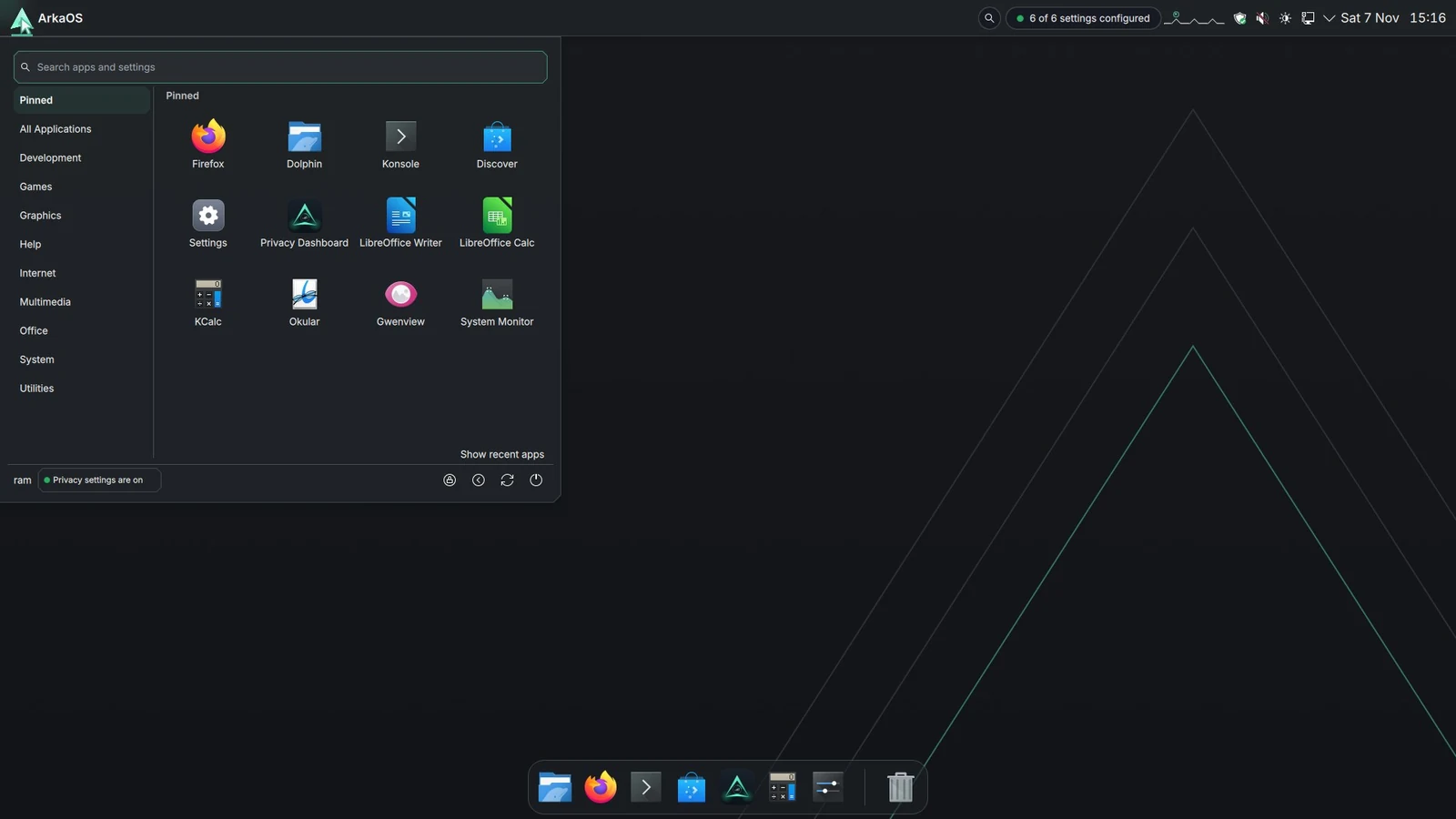
RealArkaOS running in a VM, recorded on 7 November 2026 from the published image: boot, setup, sign-in, the Privacy Dashboard, the format wheel and Find private text. Waiting time is cut; nothing is sped up.
The Arka Wheel
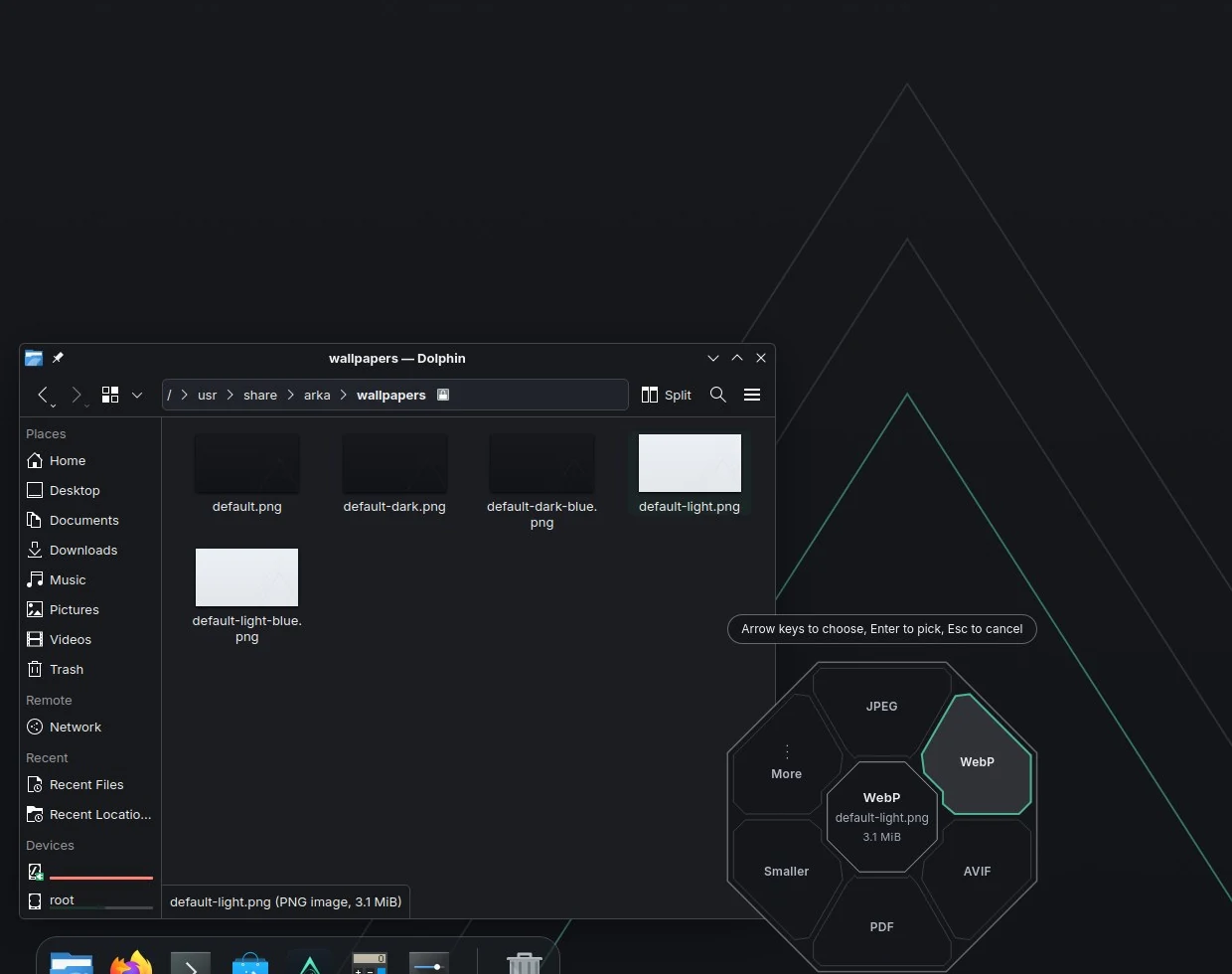
RealA real right-click in Dolphin, recorded on 7 November 2026: the wheel offers only the formats this file can become, and a 3.1 MB PNG became a 51.7 KB WebP next to the original.
Try the wheel
Interactive replicaAn OS can't run inside a web page, so this replica uses the wheel's real options per file type from its source. Drag a file onto a slot.
Pictures & files
Drag a file, or click one
The wheel only offers what that file can become. A PNG never offers PNG.
Tip: with a mouse, press on a file and drag it onto a slot, as on ArkaOS. Click works too. Esc closes the ring.
Simulated. The options per file type, their labels, the second “Smaller” ring and the “More” slot (five choices, then the rest) come from ArkaOS's convert/wheel source (main.cpp, Wheel.qml). On ArkaOS, Meta+Alt+C opens the format wheel and Meta+Alt+E the edit wheel.
Try the desktop
Interactive replicaBreak a privacy setting, watch arkad notice, re-apply it, then update and roll back.
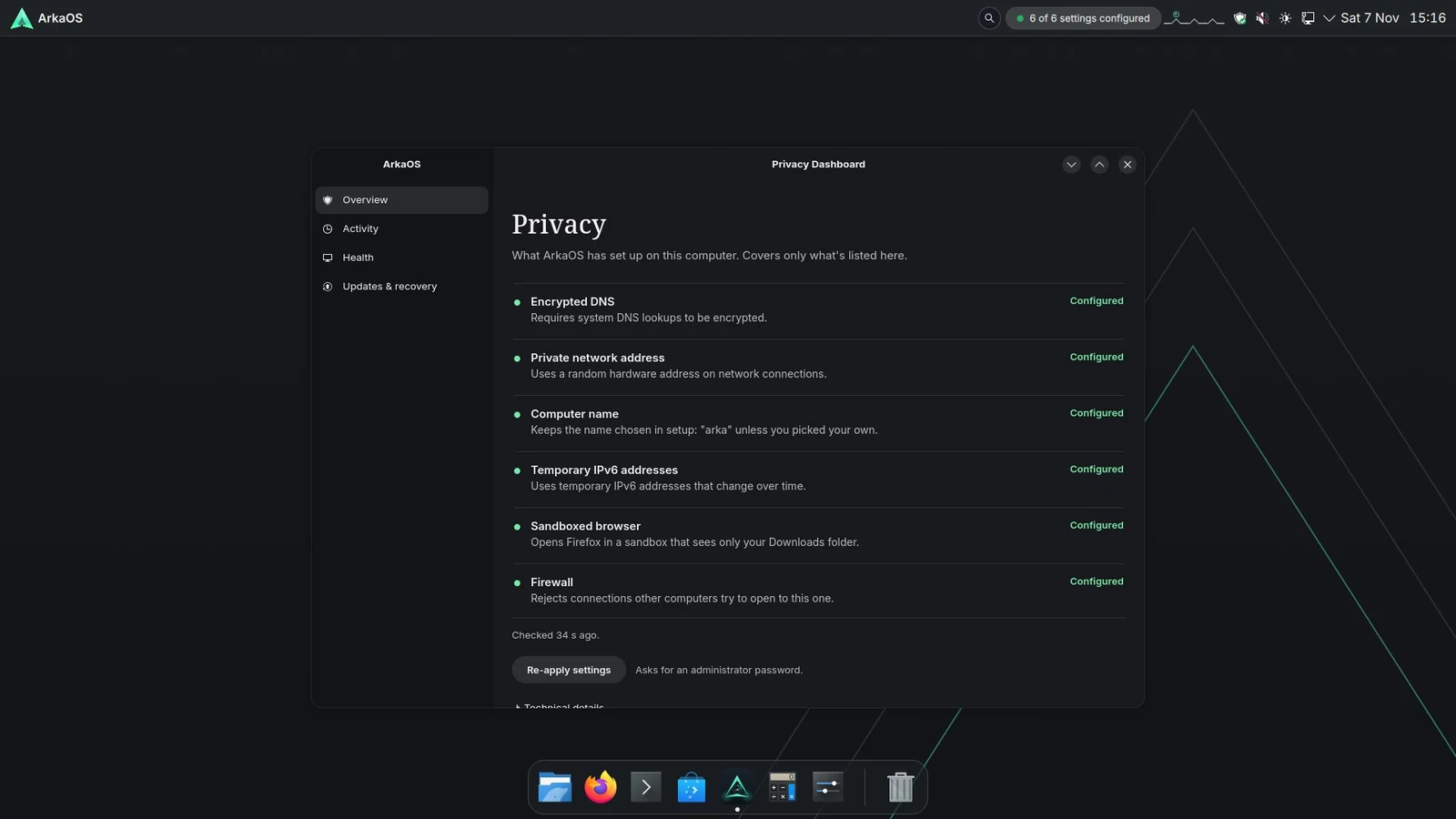
 ArkaOS
Privacy
What ArkaOS has set up on this computer. Covers only what's listed here.
- Configured
Encrypted DNS
Requires system DNS lookups to be encrypted.
- Configured
Private network address
Uses a random hardware address on network connections.
- Configured
Computer name
Keeps the name chosen in setup: “arka” unless you picked your own.
- Configured
Temporary IPv6 addresses
Uses temporary IPv6 addresses that change over time.
- Configured
Sandboxed browser
Opens Firefox in a sandbox that sees only your Downloads folder.
- Configured
Firewall
Rejects connections other computers try to open to this one.
Checked 37 s ago. (arkad re-checks about once a minute; sped up here)
Simulated. The wording, six checks and update flow come from ArkaOS's own dashboard and arka-update source (Developer Preview). Timings are sped up; nothing here touches a real system.
Under the hood
How it works.
Step by step, from the first input to what you see.
One immutable image
Fedora's bootc image is the whole OS. The root filesystem is read-only (composefs). An update prepares a complete new image next to the running one and only takes over on restart; the old one is kept, so you can go back.
- bootc
- composefs
- greenboot
arkad applies and re-checks
A small Rust daemon on the system D-Bus applies the privacy settings and checks them again about every minute: encrypted DNS over TLS, a random hardware address, the computer name, temporary IPv6 addresses, the sandboxed browser and the firewall. Drift and recovery are written to a local log that never leaves the machine.
- Rust
- D-Bus
- zbus
Firefox in a bubblewrap sandbox
The browser sees a read-only /usr, an empty tmpfs home and only your Downloads folder. No session D-Bus, all capabilities dropped, its own PID, IPC and UTS namespaces.
- bubblewrap
- namespaces
The ArkaOS desktop
KDE Plasma with ArkaOS's own apps: the Privacy Dashboard, Updates & recovery, Capsule (a Flathub store), App permissions, and the format and edit wheels.
- KDE Plasma
- GTK4
- QML
arka-pulse watches health
Processor, memory, disk and temperature are sampled locally. A least-squares trend estimates instability 30 minutes ahead, always labelled as an estimate.
- Rust
Arka Wheel
Drag a file and press Meta+Alt+C: a ring of the formats that file can become opens at the pointer. Meta+Alt+E shows edits instead.
Privacy Dashboard
Six rows, each with a plain status: Configured, Needs attention, Unavailable. No score theatre.
Atomic updates
Download, restart into the new image, or pick the previous version. Your home folder is never rolled back.
Capsule + permissions
Install Flathub apps, then switch off their network, audio, device and folder grants one by one.
Built with
- Rust
- bootc
- composefs
- KDE Plasma
- GTK4
- QML
- bubblewrap
- D-Bus
- Fedora
Developer preview: it has booted on one real laptop and the installer has been tested in a VM. It is not a security guarantee.